



- Details
Buying airtime or data should be quick and easy. However, there are times when your bank account is debited, but the airtime or data is not delivered. This can be frustrating.
To improve the experience for consumers, the Nigerian Communications Commission (NCC), and the Central Bank of Nigeria (CBN), in collaboration with Mobile Network Operators (MNOs), banks, and other stakeholders, have developed a draft National Framework on Failed Airtime and Data Transactions. This Framework is designed to ensure that failed transactions are resolved quickly and fairly.
What is a Failed Airtime or Data Transaction?
A failed transaction happens when money is deducted from your bank account, but you do not receive the airtime or data you paid for.
What Should Happen If Transaction Fails?
The Framework requires Banks, mobile network operators, and other service providers to work together to detect failed transactions and process refunds as quickly as possible.
When a transaction fails, the refund process should begin automatically without requiring you to take extra steps in many cases.
What Can Cause a Failed Transaction?
Some common reasons include:
- Temporary network problems.
- System errors between Banks and Mobile Networks.
- Purchasing airtime or data during a service outage.
- Entering the wrong mobile number.
- Selecting the wrong mobile network.
The Framework introduces measures to reduce these problems and improve transaction success.
What Should You Do If You Don't Receive Your Airtime or Data?
If your account is debited and you do not receive the airtime or data:
- Check your SMS messages or banking app for any transaction updates.
- Wait a few minutes, as some transactions may still be processing.
- If the issue is not resolved, contact your Bank and provide details such as the transaction amount, phone number, date, and time of purchase.
- Carry out the instructions from your Bank guiding you on the next steps.
- Keep your transaction receipt or confirmation message until the issue is resolved.
Tips to Avoid Failed Airtime and Data Transactions
Before buying airtime or data, always:
- Confirm that you entered the correct phone number.
- Select the correct mobile network.
- Ensure you have a stable internet connection if using a banking or payment app.
Taking a few seconds to verify these details can help prevent unnecessary errors.
A Better Experience for Consumers
The National Framework promotes better coordination among Banks, Mobile network operators, and other service providers. It also encourages faster refunds, improved customer notifications, and clearer procedures for resolving complaints.
Know Your Rights
As a telecom consumer, you have the right to receive the service you paid for or have your issue resolved promptly when a transaction fails. If your complaint is not satisfactorily addressed by your bank or service provider, escalate it to the NCC.
- Details
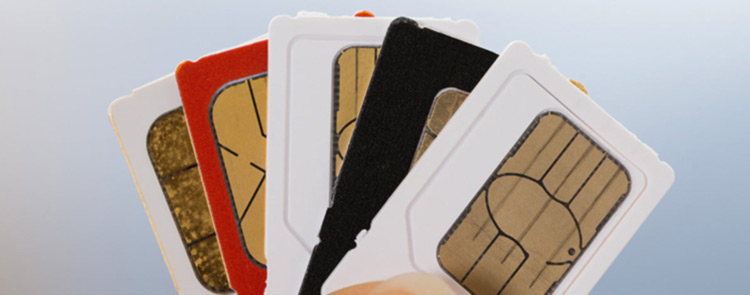
Most use their phones every day, but only a few think about protecting the SIM card inside them. The following simple security steps can help keep your phone number and personal information safe.
What is a SIM?
A Subscriber Identity Module (SIM) is a small digital card inserted into your mobile phone. It connects your phone to your mobile network and allows you to:
- Make and receive calls.
- Send and receive text messages.
- Use mobile data to browse the internet.
- Verify your identity.
- Provide access to services that need your phone number, such as mobile banking and one-time passwords (OTPs).
Without a SIM, many of these services will not work.
What is a SIM PIN?
A SIM PIN (Personal Identification Number) is a security code that protects your SIM card from unauthorized/illegal use. Once it is enabled, the PIN must be entered whenever your phone is switched off and switched on, or when your SIM card is inserted into another device.
Why is a SIM PIN Important?
Using a SIM PIN can help you:
- Protect your phone number from unauthorized use.
- Reduce the risk of fraud if your phone is lost or stolen.
- Keep your calls, text messages, and personal information more secure.
- Prevent criminals from using your SIM to access services linked to your phone number.
How to Set Up a SIM PIN
You can enable the use of the SIM PIN through your phone settings:
For Android
- Open Settings.
- Tap Security & Privacy or Passwords & Security (the name may vary by device).
- Select SIM Card Lock or More Security Settings.
- Turn on Lock SIM Card.
- Enter the current default SIM PIN provided by your Service Provider.
- You can then change it to a PIN that is easy for you to remember but difficult for others to guess.
For iPhone
- Open Settings.
- Tap Cellular or Mobile Data.
- Select SIM PIN.
- Turn on SIM PIN.
- Enter the current default SIM PIN provided by your Service Provider.
- If you wish, tap Change PIN to create a new one.
For Feature Phones
- Open ‘Settings’ under the ‘Menu’ icon.
- Tap Security or Phone Settings menu.
- Select SIM Lock, SIM PIN, or SIM Card Security.
- Turn on ‘SIM Lock’ to enable your SIM pin.
- Enter the current default SIM PIN provided by your Service Provider.
- If you wish, tap Change PIN to create a new one
Note: Keep your SIM PIN secure and do not share it with anyone. If you enter the wrong SIM PIN several times, your SIM card may become locked and require a PUK (Personal Unblocking Key) to unlock it. Keep your PUK information in a safe place or contact your mobile network operator if needed.
Tips to Keep Your SIM Safe
- Do not disclose or share your SIM PIN with anyone.
- Use a strong screen lock, such as a password, fingerprint, or facial recognition.
- Avoid using easy-to-guess PINs such as 1234 or your birth year.
- If your phone or SIM card is lost or stolen, contact your mobile network operator immediately to block the SIM and request a replacement.
A SIM PIN takes only a few minutes to set up, but it can help protect your phone number, personal information, and mobile services from unauthorized access. Combined with a secure phone screen lock, it is a simple step that can make a significant difference in keeping your digital life safe. Your SIM card is the key to many of your digital services. Protect them with a SIM PIN.
- Details
Telecom services have become part of our daily lives. When issues such as poor quality of service voice, billing, data depletion, or value-added service occur, it is important to know how to resolve them promptly to get value for your money.
The following is a guide to help you resolve telecom complaints in Nigeria.
Step 1: Complain to Your Service Provider First
Contact your Service Provider through:
• Dialing the Customer Care Helpline 300 on your Phone
• Visiting the Customer Care Centers
• Official email address of your Service Provider
• Any of the Social Media Platforms of Your Service Provider
Step 2: Get a Complaint Reference Number or Ticket Number
• Clearly explain the problem
• Ask for a reference or Ticket Number
• Save it for reference when you need to escalate to the NCC
• This number is your proof that the complaint was reported.
Some complaints are resolved at this stage.
Step 3: Allow Time for Resolution within Stipulated Timeline
Your Service Provider is required to:
• Work towards resolving it within the agreed time limit
Always wait for the resolution period given by your Service Provider before seeking redress from the NCC
If the issue is resolved, it is closed and no further action is needed.
Step 4: if Complaint is unresolved, contact the NCC
If your complaint is not resolved or you are dissatisfied with the response, you can escalate it to the (NCC).
You can contact NCC through:
• NCC 622 (Toll Free Line on all networks)
• The NCC Consumer Portal: consumer@ncc.gov.ng
• Email: consumer@ncc.gov.ng
• The Consumer Affairs Bureau X Handle: @ConsumersNCC
• NCC X Handle: NgComCommission
• NCC Facebook and Instagram Platforms
• NCC Zonal Offices Nationwide
When escalating, include:
• Your complaint reference number or Ticket ID
• Details of the issue
• Actions already taken
• NCC will take up the matter with your Service Provider.
• Ensure to provide accurate and complete details to help speed up the process
Step 5: Track and Respond to Follow-up Requests
After escalation:
• Your Service Provider may reach out to resolve the issue
• Respond promptly to ensure faster resolution.
• Cooperation helps speed up the process.
Important Tips for Consumers
• Always use official channels
• Keep records of complaints and reference numbers or Ticket ID
• Avoid sharing personal information with unknown sources
Resolving telecom complaints does not have to be stressful. By following these steps starting with your Service Provider and escalating to the NCC when necessary, you can ensure your concerns are addressed effectively.
- Details
A data usage calculator is a tool that helps estimate the amount of internet or mobile data a consumer uses over a given period based on their online activities. It is designed to give users a clearer picture of whether their current data plan is sufficient or if they might need to upgrade to avoid overage charges.
Key Features
1. Activity Categories: It breaks down common online tasks such as streaming, browsing, gaming, video calls, and downloads.
2. Average Data Rates: Each activity is assigned an estimated data usage rate (for example, HD video streaming may consume about 3GB per hour, while music streaming may use around 100MB per hour).
3. User Input: It allows users to input the number of hours or frequency of each activity on a daily or monthly basis.
4. Automatic Calculation: The system multiplies time spent on each activity by its estimated data rate and aggregates the results to produce a total usage estimate.
5. Usage Results: The calculator displays projected daily or monthly data consumption in MB or GB and may also suggest suitable data plans based on the result.
How Does a Data Usage Calculator Work?
A data usage calculator functions by estimating internet consumption from different online activities such as streaming, browsing, gaming, and video calls. It applies standard data usage benchmarks to the time spent on each activity, calculates the totals, and generates an estimate of overall daily or monthly data usage.
Benefits of Using a Data Usage Calculator
1. Help Consumers Make Informed Decisions: Users can better understand their actual data needs before choosing a plan.
2. Promotes Value for Money: It helps avoid overpaying for unused data or underspending on inadequate plans.
3. Reduces Unexpected Data Depletion: Consumers are less likely to run out of data unexpectedly.
4. Encourages Responsible Usage Habits: It promotes awareness of how different online activities consume data.
Tips for Consumers
To maximize your data plan:
· Monitor your data usage regularly.
· Use Wi-Fi whenever it is available.
· Lower video streaming quality when possible.
· Disable unnecessary background app activity.
In conclusion, Data usage calculators are practical tools that empower consumers to manage their internet consumption and choose suitable data plans. By improving awareness of usage patterns, these tools enhance decision-making, promote efficient data management, and ensure better value for money.
Telecom consumers are advised to take advantage of such tools provided by their service providers. Informed users make better choices, and better choices lead to better digital experiences.
- Details
Value Added Services (VAS) are extra services provided by telecom operators beyond basic voice calls and short media messages (SMS). In Nigeria’s fast-growing digital space, VAS has become a major part of how consumers get informed, entertained, and perform financial services through their mobile phones. Understanding how these services work helps consumers make informed choices, avoid unwanted charges and enjoy the benefits of VAS safely.
What are Value Added Services (VAS)?
Value‑Added Services (VAS) are non‑core telecom services offered in addition to standard voice and data services. They include entertainment, information services, mobile banking, unstructured supplementary service data (USSD) services, content delivery, and more.
Services Classified as Value-Added Services
- Information/content services: news alerts, quizzes, games, ringtones, video streaming, product information, call center services, etc.
- Interactive services/applications: surveys, promotions, online games, location-based services.
- Commerce-related services: mobile money, e‑ticketing, e‑health, e‑
- SMS/USSD services: subscription alerts, educational content.
Value Added Service Structure
There are four major players in the VAS ecosystem
- Network Operators – provide the last‑mile connection to Subscribers/ Consumers
- Aggregators – central connection point between Network Operators and Content Providers.
- Content & Application Service Providers (CASPs) – host and distribute content using their own platforms.
- Developers – freelance creators of content (no license needed unless distributing).
Why VAS Matters to Consumers
VAS plays an important role in Nigeria’s digital economy and everyday communication. Its significance includes:
- Consumers access to information and services directly from their mobile devices without going physically to locations.
- VAS platforms support digital payments, transfers, and mobile banking services, helping individuals without traditional bank accounts participate in financial activities.
- VAS provides news updates, music, sports content, and educational materials, making mobile phones a hub for digital content consumption.
Consumer Rights and Protection
The NCC establishes rules such as the Consumer Code of Practice Regulations, 2024 that require Service Providers to:
- Obtain consumer consent before activating subscription services
- Provide clear information about pricing and renewal terms
- Offer easy opt-out or unsubscribe options
- Protect consumer data and privacy
Consumers have the right to report unauthorized subscriptions, billing errors, or misleading promotions through official complaint channels.
Common Consumer Challenges with VAS
Despite its benefits, some consumers experience challenges such as:
- Unintended subscription to paid services
- Difficulty unsubscribing from recurring services
- Lack of awareness of service charges
- Promotional messages
Awareness and proper monitoring of mobile accounts can help consumers avoid unnecessary costs.
Tips
To use VAS safely and effectively, consumers should:
- Always read subscription prompts carefully before confirming
- Regularly check airtime or data usage
- Use the unified opt-out code*305# to cancel/deactivate unwanted VAS services
- Text STOP to 2442 to stop all unsolicited SMS & calls
- Report suspicious deductions to their telecom provider
- Stay informed through official telecom consumer education platforms
Value Added Services have transformed Nigeria’s telecom industry by expanding access to digital services, financial tools, and information. While VAS offers convenience and innovation, consumer awareness remains essential for maximizing benefits and avoiding misuse. By understanding their rights and monitoring subscriptions, telecom consumers can fully enjoy the advantages of Nigeria’s evolving digital communication landscape.
- Details
Protection of Critical National Information Infrastructure (CNII)
The Executive Order that was gazetted by the government in June 2024,
designating Critical National Information Infrastructure (CNII) in various sectors of the Nigerian Economy, including ICT systems in various sectors of the Nigerian economy, reflects the critical role these sectors play in national security and economic development.
In the telecoms sector, the Executive Order covers Information and Communications Technology (ICT) systems, networks, and infrastructure operating in Nigeria. They include telecommunications networks, base stations, fibre-optic cables, data centres, towers, internet exchange points, broadcasting systems, and other ICT facilities whose disruption could seriously hamper our everyday life. These are essential to the country’s security, economy, and public well-being.
The Nigerian Communications Commission (NCC) collaborates with security agencies and other relevant government institutions in playing a key role in promoting the protection of telecom-related CNII.
Why We Should Protect CNII
1. To safeguard national security: This is the protection of systems and services that help the government, security, and emergency response agencies to work effectively, as damage to CNII can delay emergency response, impede critical digital intelligence gathering, weaken coordination, and endanger lives.
2. To ensure continuity of essential services:Ensuring important services keep working without interruption, such as banking, healthcare, education, transportation, and government services. CNII supports services, as any disruption can paralyse these sectors and affect millions of people.
3. To support economic growth and the digital economy: To drive our digital economy, there is a heavy reliance on telecom infrastructures, which form part of CNII. Ensuring these infrastructures are protected enables businesses, mobile banking, e-commerce, and digital platforms to operate smoothly, thereby supporting Nigeria’s digital transformation.
4. To improve the quality of service and protect consumers:
Vandalism and interference with CNII lead to dropped calls, slow internet, and service outages. Protecting these assets ensures reliable networks and efficient services, which will improve the consumer’s quality of experience and ensure value for money spent.
5. To protect the huge national investments made by Operators/Government/Investors, etc
Telecom and ICT infrastructure require significant capital investment. Frequent damage increases costs, discourages expansion and investment, and raises the cost of services.
How do I Protect Critical National Information Infrastructure (CNII)
1. Do not vandalise or tamper with telecom facilities.
2. Report suspicious activities.
3. When I notice theft, vandalism, or suspicious movement around telecom infrastructure, I report it to security agencies, community leaders, or service providers to prevent service disruption.
4. Support community awareness creation in the protection of CNII
5. Cooperate during installation and maintenance works.
6. Respect construction and right-of-way rules.
Protect the telecom infrastructure; it is a national asset. Report vandalism or any suspicious activity to protect@ncc.gov.ng or call NCC ‘622’ Toll Free Line.
- Details
The DoNotDisturb (DND) service is one of the most impactful consumer protection tool introduced by the Nigerian Communications Commission(NCC) to address the persistent challenges of unsolicited messages and promotional communications in the telecom industry. It gives telecom consumers full control over the types of SMS alerts and marketing messages they receive on their mobile devices.
1. What is the DND Service?
The DND service is a service designed by the NCC (Nigerian Communications Commission) to protect Nigerian telecom consumers from unsolicited text messages. The service gives consumers the freedom to choose what messages they want to receive from various Service Providers when they activate the DND on their phone lines at no additional cost.
How to Use the DND Service
Telecom Consumers can activate or deactivate the DND service using the common short code 2442 across all networks.
i. To Activate Full DND
- Text STOP to 2442 to stop all unsolicited SMS & calls. Full DND does not allow the consumer to receive any unsolicited messages.
ii. To Activate Partial DND
- Text HELP to 2442. Partial DND allows the consumer to choose specific types of promotional/commercial communication messages they wish to receive, as follows;
- Text 1 to 2442 to receive Banking/Insurance/Financial Products.
- Text 2 to 2442 to receive Real Estate.
- Text 3 to 2442 to receive Education.
- Text 4 to 2442 to receive Health
- Text 5 to 2442 to receive Consumer Goods & Automobiles.
- Text 6 to 2442 to receive Communication/ Broadcasting/ Entertainment/IT
- Text 7 to 2442 to receive Tourism and Leisure.
- Text 8 to 2442 to receive Sports
- Text 9 to 2442 to receive Religion
- Text 10 to 2442 to receive Information on new products/services from the Service Provider
- Text 11 to 2442 to receive News Alerts
iii. Deactivate DND
Text ALLOW to 2442 to opt out entirely from DND.
iv. Check DND Status
Text STATUS 2442 to check and know your DND Status.
These options are simple, free, and accessible to all types of phones. (both feature phones/smart phones).
Telecom consumers are encouraged to use the service by texting STOP, HELP, ALLOW, or STATUS to 2442, depending on their preferences.
The Nigerian Communications Commission (NCC) also introduced a unified code, of which *305# is the unified USSD code for Value-Added Services (VAS) across all mobile networks in Nigeria. This code enables consumers manage services that may be activated on their lines. Through this code (*305#), consumers can view their active VAS subscriptions and deactivate or opt out of any VAS they no longer want.
In addition to VAS management, consumers also have the ability to stop unsolicited /promotional messages by activating DoNotDisturb (DND) using the NCC-approved short code 2442.
Together, *305# and DND (2442) give consumers full control over unwanted deductions and unwanted promotional messaging:
- *305# helps stop unwanted charges by allowing consumers to opt out of any active VAS subscriptions.
- DND (2442) helps stop unsolicited/promotional SMS from Service Providers.
By using both tools, this combined approach ensures that consumers maintain complete control over both chargeable services and promotional content, resulting in a better consumer experience.
Note:Value-Added Services (VAS): They arenon-core mobile services offered by telecom operators that go beyond basic voice calls, SMS, and data. These services provide additional features in various forms of content, applications, alerts, entertainment, and interactive platforms delivered through mobile networks to enhance consumer experience
- Details
A- Avoid Suspicious Links: Don't click on links from unknown sources.
B- Back Up your Data: Regularly back up important files.
C- Create complex Passwords and change them regularly.
D- Download Software from Trusted Sources: Only download software from reputable websites.
- Details
Type Approval of devices is a mandatory regulatory requirement established by the Nigerian Communications Act (NCA 2003) to ensure that every telecom device and equipment used in the country meets approved technical and safety standards.
Why Type Approval is Important?
Type Approval process is not just a formality, it serves several purposes:
- Consumer Safety and Health: Type Approval protects consumers from using devices that may emit harmful levels of electromagnetic radiation
- Network Integrity and Performance: Type approval ensures that substandard equipment which degrade network quality, leading to dropped calls are not approved and allowed on the network
- Fighting Counterfeit and Substandard Products: Network Type approval ensures that Regulators check the importation of counterfeit, low-quality equipment into the country.
Risks of Using Non - Type Approved Devices
Operating telecom equipment without being Type Approved by the NCC is a serious concern. Some risks include:
- Poor Quality of Service: Non-Type approved devices can cause harmful network interference, disrupt service quality and reduce overall network performance.
- Exposure to Harmful Radiation: Endanger health by emitting unsafe levels of electromagnetic radiation that exceed internationally accepted thresholds, posing long-term risks to consumers.
- Impact on the Economy. The proliferation of non-type approved equipment substandard equipment impacts negatively on manufactures wishing to do the right thing and affects revenue generation for the Government.
International regulatory bodies such International Commission on Non-Ionizing Radiation Protection(ICNIRP) have established strict radiation exposure limits that all telecom devices must comply with before being sold or used. By aligning with these global standards, the NCC ensures that Nigerian telecom consumers are protected both in terms of health, safety and service reliability.
How to Check if your Device is Type Approved
NCC has made it easy for telecom consumers to verify whether their phones or telecom devices are Type Approved:
- ENTER the Link : NCC Type Approval which will navigate you to the NCC Type Approval Portal
- Search Using Your Device Model Number
- Locate the model number on your device (usually found under “Settings > About Phone” or printed on the device packaging).
- Enter the model number into the search field on the NCC portal.
- The system will display whether your device is on the approved list.
- Take Action if device is Non-Type Approved
- Consumers can also reach out to NCC through the 622 Toll-Free Line for Assistance and Guidance and report cases so action can be taken against such sellers.
NCC’s Role in Device Type Approval and Consumer Protection
The NCC manages the processing of Type Approval applications. It also engages in consumer education and information campaigns to raise awareness on the use of non type approved and counterfeit devices. Consumers are encouraged to use the NCC 622 toll-free line for complaints and inquiries regarding telecom services
NCC message : “Take advantage of us, so that no one takes advantage of you.”
By choosing the Type Approved Devices, consumers not only protect their health but also ensure they are buying products that offer value for money and comply with global standards.
- Details
Fibre-optic technology forms the backbone of modern telecommunications in Nigeria enabling fast internet, clear voice calls, and reliable digital services. It involves the use of thin strands of glass or plastic (optical fibres) to transmit data. Unlike traditional copper cables, fibre provides extremely high bandwidth, faster data transmission, and low latency (fewer delays in file transfers). This makes it very useful for carrying out businesses, education, banking, healthcare operations, and other human endeavours
What is a Fibre Cut?
A fibre cut refers to a physical break, bend, or severe damage in optic fibre cables that interrupts the transmission of data. Since fibre optic networks are extremely sensitive, even small disruptions can cause complete service outages. Depending on the severity and location, a single fibre cut can impact a few users, entire neighborhoods, or even large regions.
What Causes Fibre Cuts?
Fibre cuts can happen due to several reasons, both accidental and intentional. Some of the most common causes include:
- Construction Activities: Excavation, road works, drilling, and trenching are the leading causes of accidental fibre damage. A single strike from heavy equipment can sever underground fibre cables.
- Animal Damage: Rodents sometimes chew on fibre cables, especially if they are not properly armored or buried deep enough in the ground.
- Weather and Natural Disasters: Floods, landslides, earthquakes, storms, and intense winds can damage aerial or underground fibre.
- Vandalism and Theft: While many fibre cuts are accidental, some unfortunately happen on purpose. This involves destroying cables or stealing cables to sell them in the black market, which disrupts internet service for everyone.
- Aging Infrastructure: Older fibre deployments that were not properly maintained may degrade or break over time.
- Accidental Human Errors: Mistakes during maintenance, relocation, replacing, or repairing of cables can lead to fibre damage.
How Does a Fibre Cut Affect You?
When a fibre cable is damaged, the impact on users can be significant:
- Service Outages: Consumers may lose access to internet, phone, and TV services entirely until repairs are completed.
- Reduced Speeds: If the network reroutes traffic through backup paths, users may experience slower speeds while browsing.
- Business Downtime: Enterprises relying on fibre for cloud services, video conferencing, or financial transactions can face operational and financial losses.
- Mobile Network Degradation: Since mobile towers depend to a large extent on fibre backhaul, a fibre cut can lead to poor call quality, dropped calls, and slower mobile data speeds.
- Consumer Dissatisfaction: Prolonged or repeated cuts damage trust in Service Providers, leading to frustration and churn.
To reduce these challenges, the Nigerian Communications Commission (NCC) and Industry Stakeholders are working together to protect fibre infrastructure. This includes raising public awareness, collaborating with state governments, and treating fibre as Critical National Information Infrastructure (CNII) that must be safeguarded.
- Details
Mobile data is the internet service provided by your Mobile Network Operator that allows you to go online without using Wi-Fi. It allows you to browse websites, use social media, watch videos, send emails, use apps online navigation and carry out online banking. However, without proper management, mobile data can disappear quickly, leading to unexpected costs or disrupted service. Taking control of your data usage is not only smart but necessary.
1. Monitor Your Data Usage
The first step in managing mobile data is awareness. Most smartphones come with features that allow you to track data consumption. Check regularly these settings to understand which apps consume the most data. Social media platforms and video streaming services are often the biggest culprits.
2. Set Data Limits
To avoid incurring high data bill, set a monthly data limit on your phone. Most devices allow you to set a data cap and receive notifications when you approach it. These help you stay within your plan and avoid extra charges.
3. Use Wi-Fi
Make Wi-Fi your best friend when it comes to saving mobile data. Connect to trusted Wi-Fi networks at home, in the office, or at secure public hotspots. Update apps, upload/download large files, and stream videos over Wi-Fi rather than mobile data.
4. Manage Background Data Usage
Many apps run silently in the background, consuming data without your knowledge. Disable background data for non-essential apps and allow automatic updates only when connected to Wi-Fi.
5. Stream Wisely
Streaming videos in high definition consumes a lot of data. Lowering the streaming quality or downloading content while on Wi-Fi for offline use can save huge amounts of data.
6. Data-Saving Features
Many browsers and apps have built-in data-saving modes. Activating these features compresses data, reducing the amount of information transmitted, as well as resolution.
7. Use Offline Features
Many apps provide offline functionality, such as Google Maps’ offline maps. Download content when Wi-Fi is on and use it later without consuming mobile data.
Taking control of your mobile data is about being proactive and intentional. By monitoring usage, setting limits, using Wi-Fi wisely, and taking advantage of data-saving features, you can enjoy uninterrupted connectivity without overspending. In a world where every megabyte counts, smart data management is the sure way to go.