
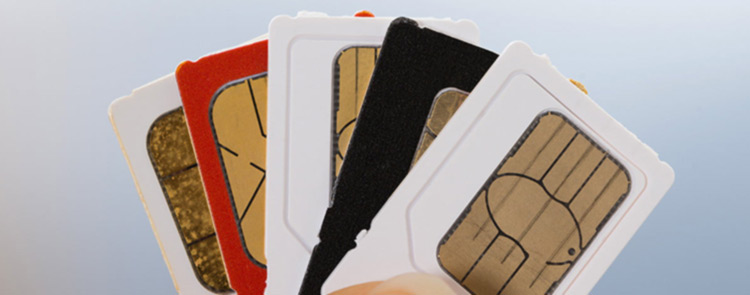




Most use their phones every day, but only a few think about protecting the SIM card inside them. The following simple security steps can help keep your phone number and personal information safe.
What is a SIM?
A Subscriber Identity Module (SIM) is a small digital card inserted into your mobile phone. It connects your phone to your mobile network and allows you to:
- Make and receive calls.
- Send and receive text messages.
- Use mobile data to browse the internet.
- Verify your identity.
- Provide access to services that need your phone number, such as mobile banking and one-time passwords (OTPs).
Without a SIM, many of these services will not work.
What is a SIM PIN?
A SIM PIN (Personal Identification Number) is a security code that protects your SIM card from unauthorized/illegal use. Once it is enabled, the PIN must be entered whenever your phone is switched off and switched on, or when your SIM card is inserted into another device.
Why is a SIM PIN Important?
Using a SIM PIN can help you:
- Protect your phone number from unauthorized use.
- Reduce the risk of fraud if your phone is lost or stolen.
- Keep your calls, text messages, and personal information more secure.
- Prevent criminals from using your SIM to access services linked to your phone number.
How to Set Up a SIM PIN
You can enable the use of the SIM PIN through your phone settings:
For Android
- Open Settings.
- Tap Security & Privacy or Passwords & Security (the name may vary by device).
- Select SIM Card Lock or More Security Settings.
- Turn on Lock SIM Card.
- Enter the current default SIM PIN provided by your Service Provider.
- You can then change it to a PIN that is easy for you to remember but difficult for others to guess.
For iPhone
- Open Settings.
- Tap Cellular or Mobile Data.
- Select SIM PIN.
- Turn on SIM PIN.
- Enter the current default SIM PIN provided by your Service Provider.
- If you wish, tap Change PIN to create a new one.
For Feature Phones
- Open ‘Settings’ under the ‘Menu’ icon.
- Tap Security or Phone Settings menu.
- Select SIM Lock, SIM PIN, or SIM Card Security.
- Turn on ‘SIM Lock’ to enable your SIM pin.
- Enter the current default SIM PIN provided by your Service Provider.
- If you wish, tap Change PIN to create a new one
Note: Keep your SIM PIN secure and do not share it with anyone. If you enter the wrong SIM PIN several times, your SIM card may become locked and require a PUK (Personal Unblocking Key) to unlock it. Keep your PUK information in a safe place or contact your mobile network operator if needed.
Tips to Keep Your SIM Safe
- Do not disclose or share your SIM PIN with anyone.
- Use a strong screen lock, such as a password, fingerprint, or facial recognition.
- Avoid using easy-to-guess PINs such as 1234 or your birth year.
- If your phone or SIM card is lost or stolen, contact your mobile network operator immediately to block the SIM and request a replacement.
A SIM PIN takes only a few minutes to set up, but it can help protect your phone number, personal information, and mobile services from unauthorized access. Combined with a secure phone screen lock, it is a simple step that can make a significant difference in keeping your digital life safe. Your SIM card is the key to many of your digital services. Protect them with a SIM PIN.